
 Scopique
 Scopique
I hope this to be a quick one.
I was doing my due diligence this morning and checked into YouTube to see what the Almighty Algorithm was trying to cram down my throat when I happened upon a video entitled “ArcBrush: Getting Started”. I usually have a hard and fast rule to not click on any thumbnail that I only find moderately interesting, and the thumb on this video could have been anything as far as I knew: a pixel art app. An iPad art app. Some kind of AI image generating app. But I figured that since it had enough pretty colors to activate my chimp-attract, I clicked on it and was surprised at what I found.
I have spoken before about my love of node-based software. I find that the incremental modification of work, represented in a progressive graph, makes a lot more sense to me than layers and how they interact. Nodes usually offer properties in a self-contained manner so I know that when I want to modify a transform, for example, I just click on the Transform node; I don’t need to hunt for properties on a catch-all sidebar for the numbers or sliders I need to affect.
ArcBush is an image composition and modification tool. It’s not really an image creation tool but instead allows me to work on existing images in a variety of ways.
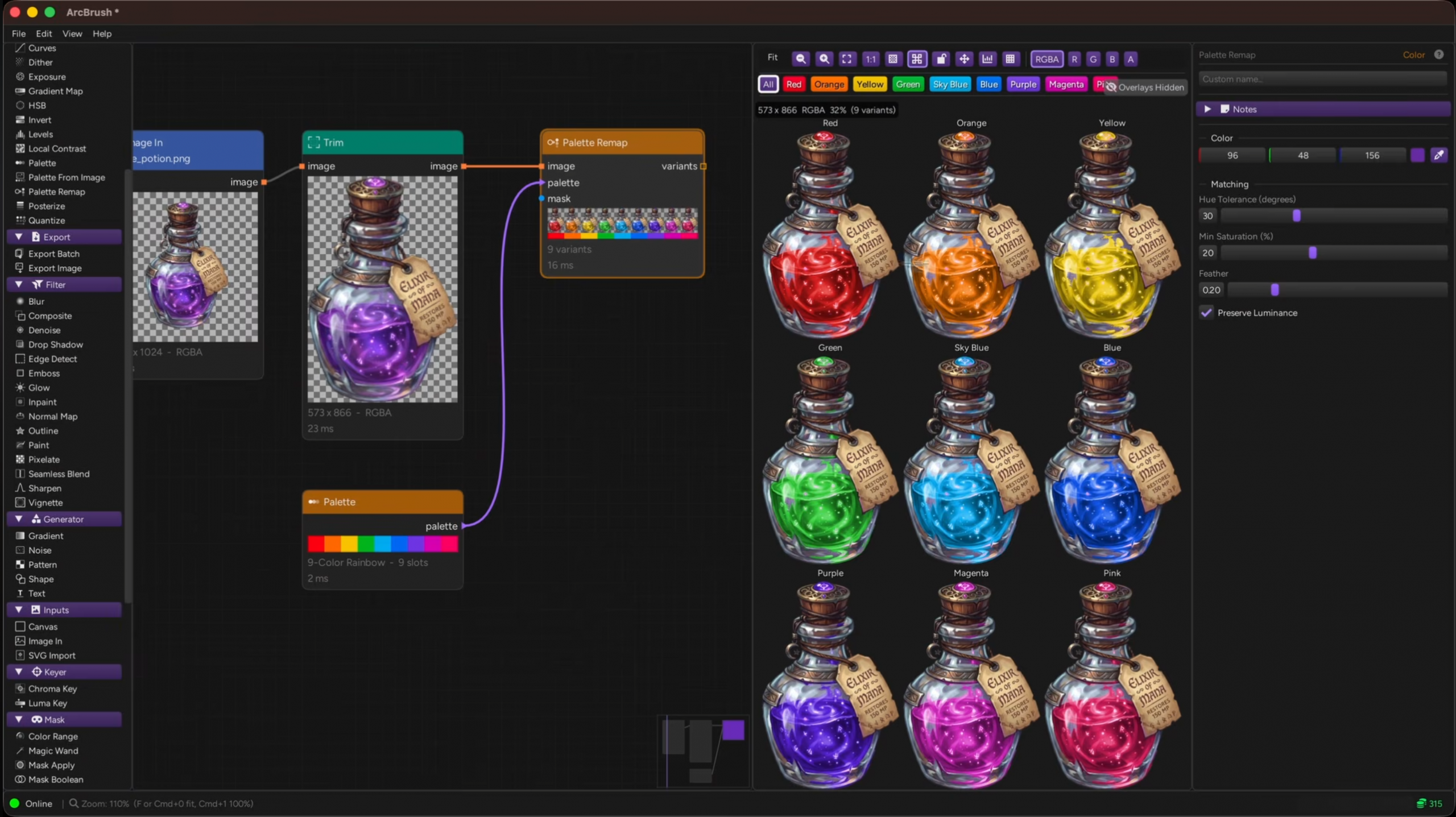
The video (linked below) and the website provide several examples of what ArcBrush can do. In the image above, the original image is passed through a palette remapping node which, when provided with a palette of colors, can selectively replace colors in the original with each color in the provided palette. This might be a massive boon for game artists who need to create variations on a singular design.
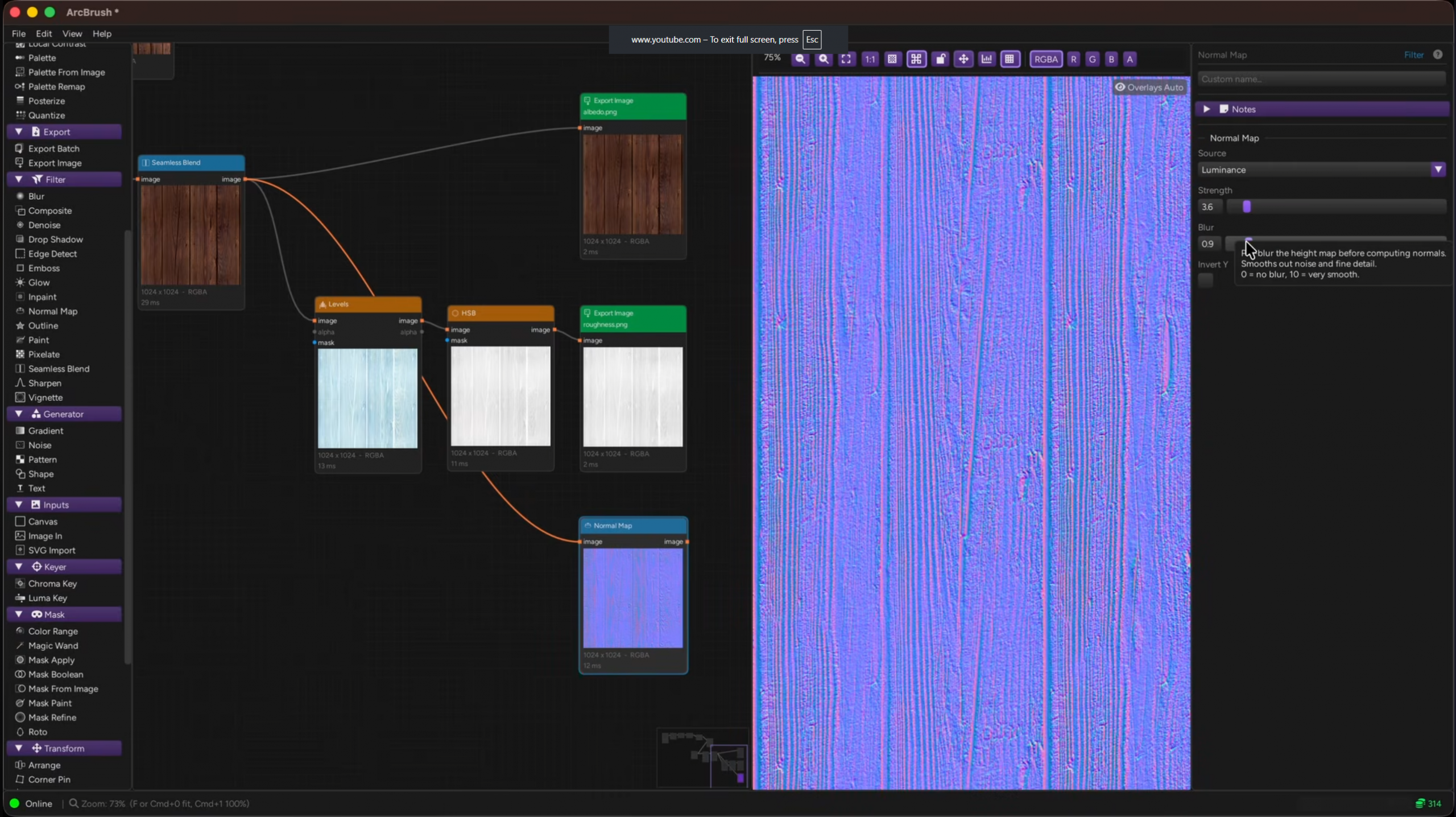
Hitting closer to home, ArcBrush can use a single node to power multiple nodes for a branching graph that handles several tasks at once. In the above example, a single image exports an albedo (color) map, roughness map, and normal map from the same image, and each output can be adjusted to provide the best possible image. When everything has been set up to my liking, I can press a single button to export every item, creating an instant PBR texture for 3D modeling.
There are other examples in the video and on the website including background removal, masking, and color grading, so I’m incredibly excited to find reasons to give this app a try for various reasons.
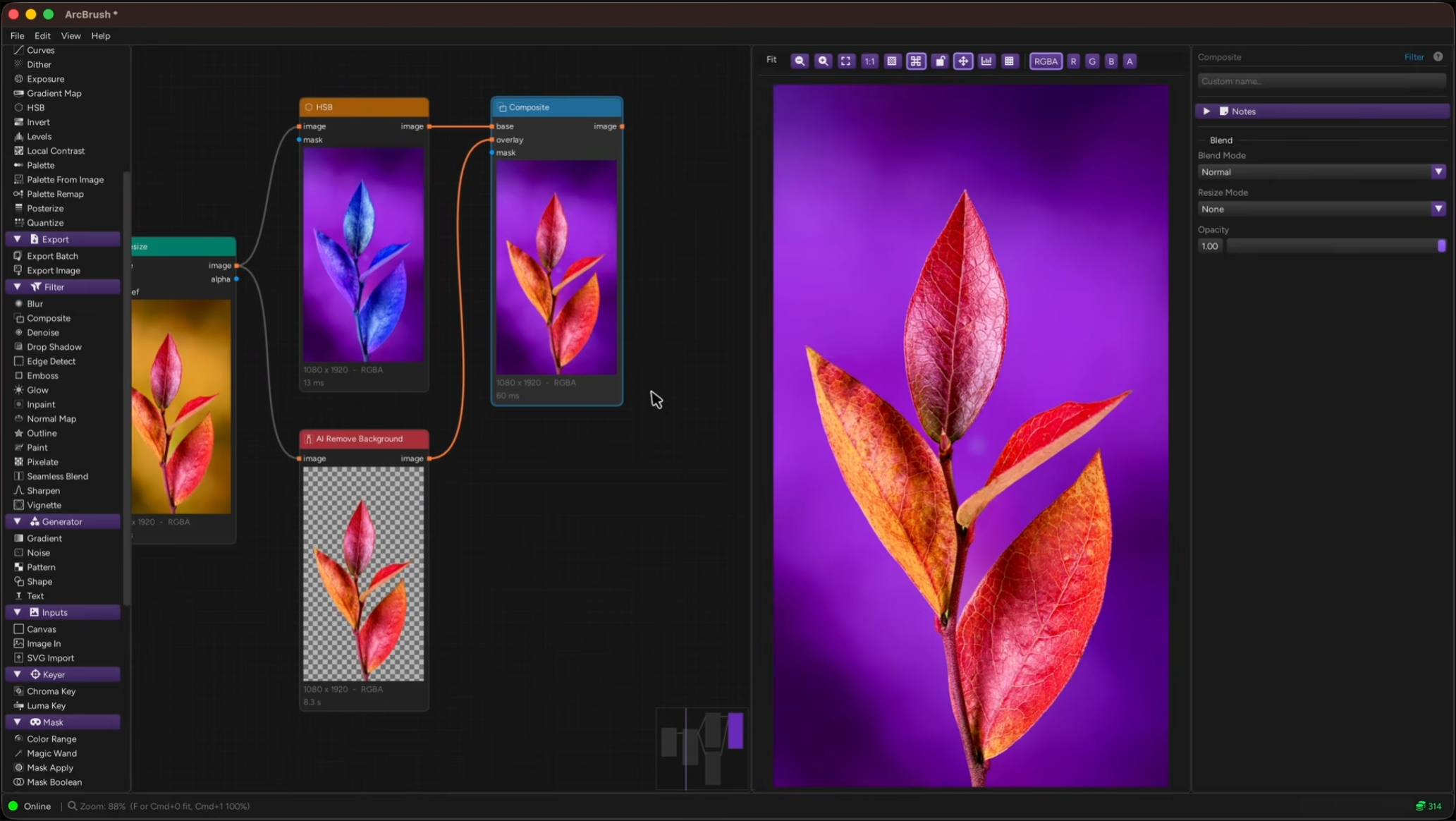
Now, ArcBrush does offer AI options, but they’re not shoved-in-face like other tools which use them as a selling point. If your door is open, there are a few nodes that can perform such tasks as background removal, text-to-image, and upscaling. Use of the AI nodes require tokens which can be purchased through the ArcBrush website, never expire, and can be used with any AI model that ArcBrush can interface with. Signing up on the site includes 10 free credits to kick these specific tires, but again: AI is optional. If you don’t have a need for it, or have a moral objection to it, then the app is still insanely powerful for image manipulation of certain stripes.
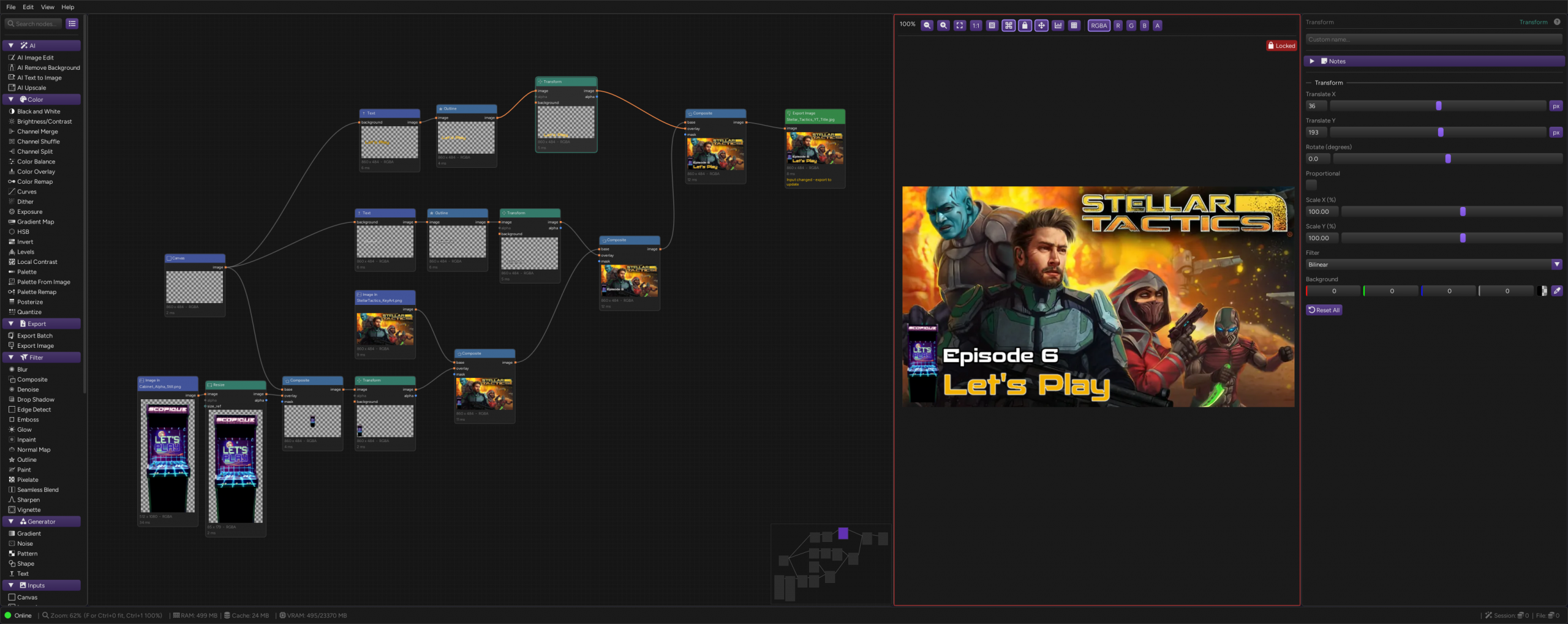
In just five minutes I set up the graph for my current YouTube title cards. I had been handling these in Affinity, and the result is hardly complex: it’s just the game’s key art, my arcade cabinet branding, and some text. When I make a new video, I have to boot up Affinity and all of it’s internal machinery, load the image, change the number of the episode, and export the result. I am technically doing the same with ArcBush, but this app boots a lot quicker than Affinity, and doesn’t present all of the dials and levers that I really don’t need. Here, I can just click the text node, change the number, and use a hot-key to export the result. If I want, I can even change the key art background for, you know, when I inevitably move on to the next project, and I don’t have to do much else. To be honest, I completed this graph before I finished watching the video, and after having done so realized that my graph is really overcomplicated, and that makes me happy to know that ArcBrush can do what I want it to do with even less effort than I might think I need.
The kicker is that ArcBrush is free-as-in-beer. The only cost that I can see is for the optional AI credits so if that’s not in your wheelhouse, then the app seems like a slam-dunk for image compositing and manipulation. It’s also available for Mac, which is something I’ve become more cognicent about in the past few months.


4 Comments
Tipa
May 6, 2026 - 9:49 amHmmm…. Usually I am using Inkscape to do my titles, when I do them, but that is usually way overkill for what I am doing, I’ll have to give this a look.
Scopique
May 6, 2026 - 12:17 pmThat’s my thinking with using Affinity. ArcBrush DOES import SVG, but in the video he mentions that it does rasterize it, although it looks to be non-destructive as resizing the SVG seems to retain the original “elasticity” of the vector image. Or maybe I’m seeing things. Either is possible.
Tipa
May 7, 2026 - 3:33 pmMy favorite quick image editor is still Picasa, even though it must have been at least a decade since Google discarded it. It does a lot of precise things very simply — cropping, adding text, color correction, filters, etc. Single buttons and export. It is so easy.
AND NO AI!
Scopique
May 7, 2026 - 7:04 pmOh wow, Picasa…[Takes a drag from a metaphorical cigarette] I haven’t heard that name in a long time.
Comments are closed.