
 Scopique
 Scopique
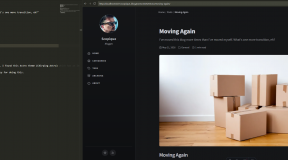
I have spent the better part of this afternoon and evening trying to get my content from Scopique.com into the new site hosted at GitHub Pages.
The first step was to download the XML file for my posts. I had almost 300 of them in there — published only — but they were in XML format. I don’t know if there’s already a tool out there that can parse and split WordPress XML into individual files, but I set Claude on it and it did a really good job. I told it which XML nodes matched up to what frontmatter, and it sorted each <item> into an individual file with the appropriate tags and folder structure. I did have to wrestle with it for a bit, mainly because I realized I kept leaving things out, but in the end I’m happy with the results.
One interesting side-effect was that, because WordPress uses absolute paths complete with the domain name to serve images, all of the posts on the new site have complete URLs pointing to images being hosted at Scopique.com. This is great for setting things up, but it’s going to really suck when and if I decide to run with this new site. I’m thinking of maybe hosting images in the Cloud or maybe on my own in-house server (h/t to @Mindstrike for that suggestion). I’d just need to figure a way to organize the images and make them accessible from the outside.
At the end of the day: is it worth it? I have to set up a page by hand with the frontmatter and, if I want to embed images in the body of the post, I have to import a special Astro component so I can take advantage of Astro’s image handlers. That means I have to use .mdx files instead of .md files which isn’t really a chore, and I should be doing it anyway as it gives me access to components that regular Markdown can’t use, but…I’m old, and my memory sucks. I think I’ll need a cheat-sheet or some way to automate standing up a new file whenever I want to add a new post.
I’m starting to think that maybe it would be easier to just switch from blogging to vlogging.
See it on the new site: https://scopique.github.io/scopique_blog/posts/2026/05/22/easier-and-harder-than-expected/





4 Comments
Nimgimli
May 23, 2026 - 7:35 amAt the risk of sounding like CloudFlare marketing, I think you could use a free CF account, host your images on your home server, and have Cloudflare act as CDN, edge caching your images and keeping the load off your home server. Might give you the best of both worlds? Though you would have to move your DNS records to Cloudflare; I don’t *think* there’s a way around that.
Scopique
May 23, 2026 - 9:04 amI wonder if I could use a DNS record with sub-domain (images.scopique.com) for the CloudFlare? Or am I misunderstanding DNS? It’s been almost 3 decades since I had to do any DNS work beyond simple root domain setups. But I will check into the CDN angle, that sounds like a good idea.
Nimgimli
May 23, 2026 - 2:09 pmFrom memory, you would get the new name servers from Cloudflare, telling them you want to route images.scopique.com through them. Then in your current registrar, you’d add new Name Server records just for the sub-domain.
Once that propogates you’d go back to Cloudflare and set up an A record pointing at your local server where images.scopique.com is living.
And I THINK that’s about it. Though I would research it since sometime Cloudflare works just a wee bit different than other DNS providers.
Moving EVERYTHING is easy though. You set up your free CloudFlare account, tell them you want to move a domain to cloudflare. They give you a set of nameservers that you’d go enter in your registrar (not DNS provider, if those are separate) and then Cloudflare will import your existing DNS records. They’ll tell you to double check them, just in case, but they seem to do a pretty good job.
And then you’re basically done.
Scopique
May 23, 2026 - 2:40 pmI’ll do you one better! I downloaded all images from my current host, and had Copilot whip up several scripts to clean out dupes (WP likes to generate multiple resolution images, so I had literally 10x the images I need), rename files with YYYY and MM to record the path WP uses, and then upload every unique image to CloudFlare’s media storage bin ($5/month for 100,000 images…I only have 2000). I then had Pilot match the URLs in the posts that pointed to Scopique.com to the CloudFlare ID’s for each image and re-write all post URLs that were getting images from Scopique.com. Flawless. Utterly flawless. I could never have done as much as I have done today if I were writing these scripts by hand I’ll tell you that much.
Now I just need to see if I can modify Front Matter CRM to read a local directory, where I’ll keep my local images but not uploaded to GitHub, and execute a script to upload new images to Cloudflare and return/record the ID for insertion into a post. If I can get that working then I’ll be done.
Comments are closed.