Scopique
 Scopique
I’ve been searching for something that apparently does not exist, partly because I don’t know what I want to exist. I’m treating this like porn: I don’t know how to define it, but I’ll know it when I see it, and that makes it difficult to move in a direction that will get me closer to an app I can be satisfied with. Instead, I’m shot-gunning a whole lot of apps to see what they offer, and if what they offer flips a switch in my head so I can finally say “yes, that is porn!”
Today’s candidate: Chronicler.
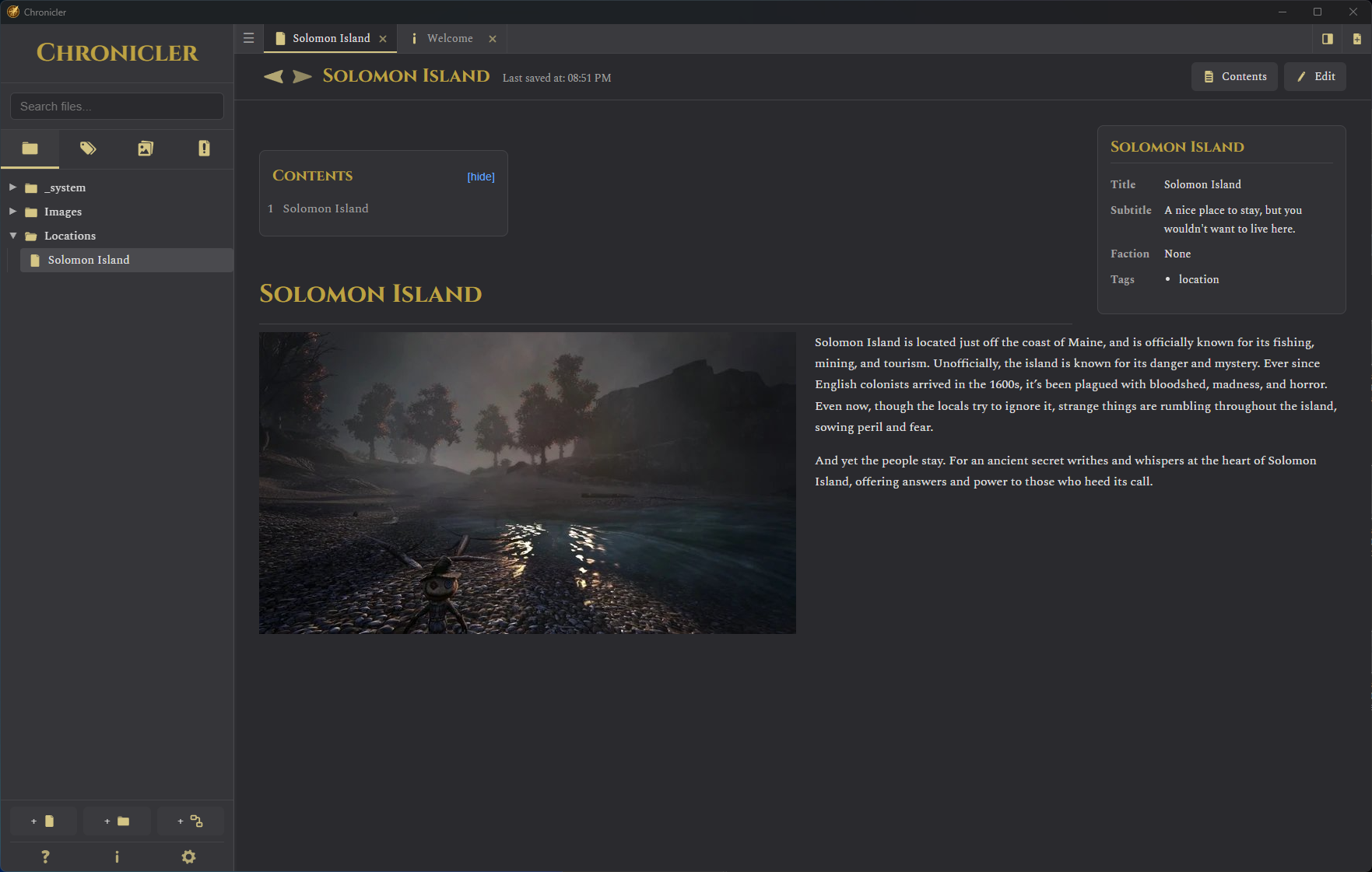
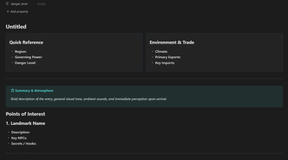
I’ll be frank. Chronicler is a very well done free Obsidian clone that narrows it’s focus. Whereas Obsidian allows users to treat it how they want to treat it, whether it’s for notes, writing a novel, or as a daily journal, Chronicler offers a few shortcuts that make a little more sense — at least to me — than the free-form Obsidian does when it comes to using the app for worldbuilding duties.
Chronicler uses Markdown, which seems to be the baseline for the apps I’m running into within the parameters of my search. In a way that’s good because Markdown is simple yet powerful. I know Markdown, at least to the point where I can be effective if not masterful. However, there’s a few liberties that Chronicler takes with the whole “all Markdown, all the time” that we see in Obsidian, et al.
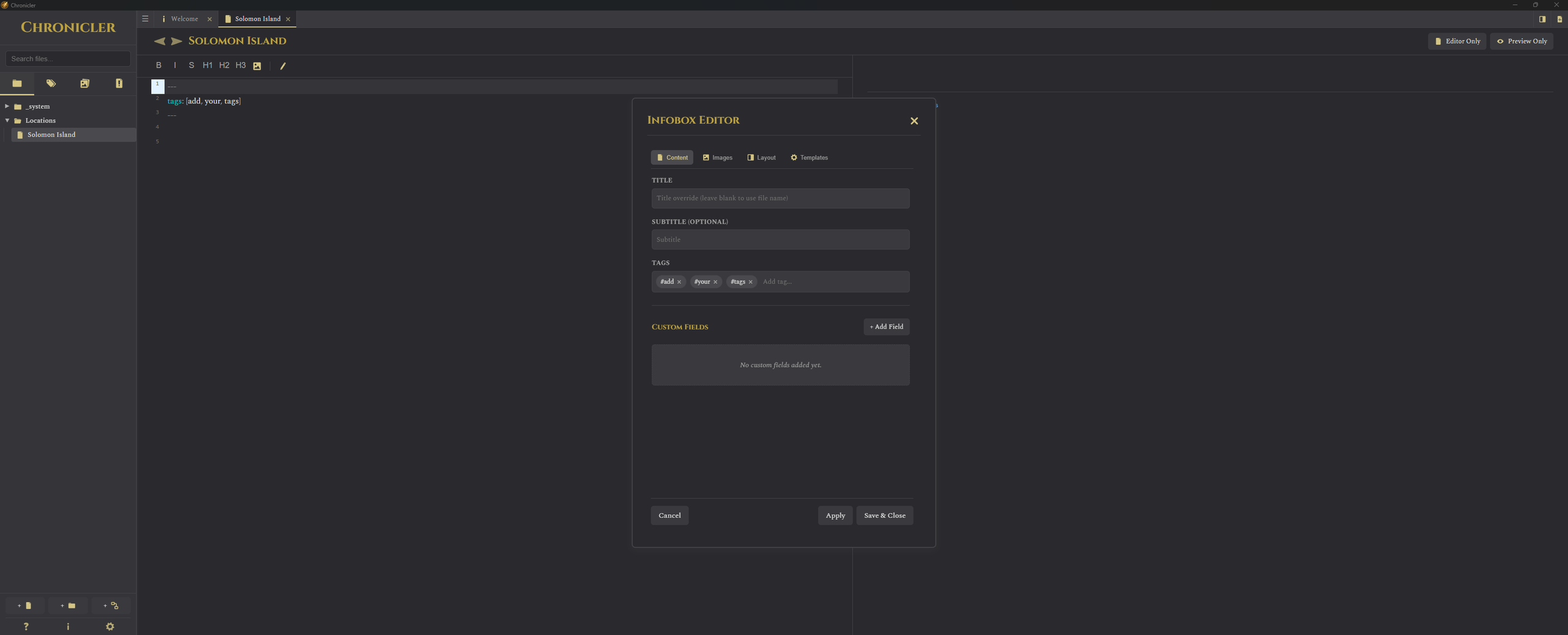
The first is that frontmatter is standardized. While we can include custom frontmatter, Chronicler has some keys that it likes to use or suggest, but we’re free to use this popup form or we can add YAML frontmatter within the Markdown document by hand. Frontmatter is used in the “infobox” which appears on the right side, a la Wikipedia, so if you really like that overview design then maybe Chronicler is for you.
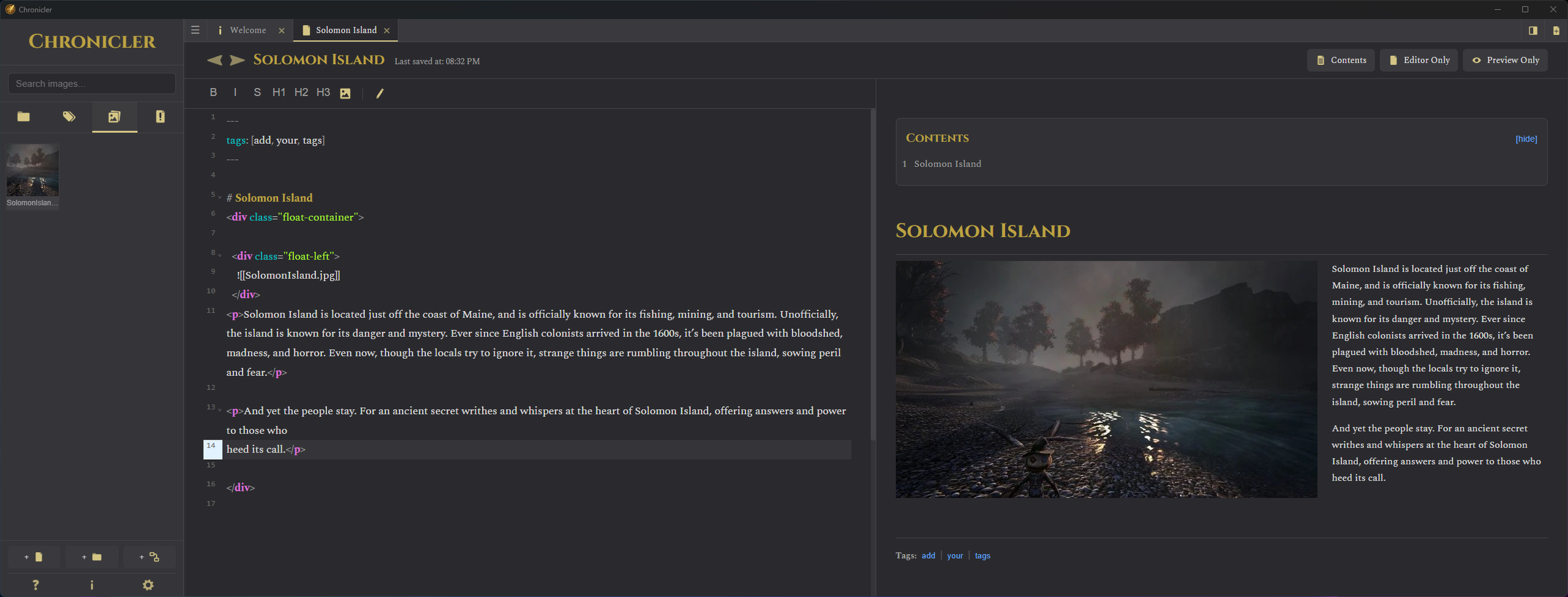
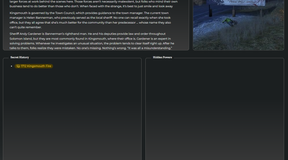
The second — and I am not sure how I feel about this — is that Chronicler allows for the use of inline HTML. There are several internal CSS classes that can be used for formatting; in the above example I am using the float-container class on a wrapper div, inside of which is another div with the class float-left. Inside this tag is my image, and following that div is a p which contains the text. The result is that my image is floating to the left of the text. I am on the fence about this because on one hand, as someone who has dealt with HTML for almost four decades (give or take) this is intuitive. On the other hand, this is a Markdown file; somehow, adding HTML in there creates an abomination in my mind. Before I capped that sentence I did a search to find out if HTML was acceptable in Markdown, and I was surprised to find that it is, but it’s got some limitations, such as not putting Markdown inside of HTML. Somehow Chronicler skits this and allows Markdown inside HTML, but it still feels…icky.
I like what Chronicler is doing in this space. I find it easier to work with compared to Obsidian because while each use Markdown, Chronicler seems more focused on using it in ways that TTRPG managers might want it used, whereas Obsidian needs to be tamed from the start, if that makes sense. Including Chronicle’s unique brand of HTML in a Markdown document makes it “un-portable”; I tried copying what I had in Chronicle to Obsidian and the latter made disgusted faces at me and refused to comply.
I have another post following on the heels of this one which I believe may further explain why I don’t think Chronicler will be my go-to tool. While it’s very useful for it’s intended purpose, and while I think I’d prefer it against vanilla Obsidian, my growing unease with using Markdown for all of this is starting to get in the way.