
 Scopique
 Scopique
Sometimes I will browse shopping sites when I’m in one of my “I really want to do [Insert some new project here]” moods, and what usually ends up happening is that I put things into a wish list. This becomes one part bookmark, one part source for family members when Christmas or my birthday comes around. Often times the wish list is a one-way street: items go in, but I rarely manage them until a few weeks before I suspect that the list might be used by someone, if I even remember to do that at all.
We celebrated both my birthday and my wife’s birthday with her family last night. Our respective Grand Entrances were only about a week-and-a-half apart and neither of us cares to have our celebrations singled out, plus it’s more convenient for everyone to gather once…two birds, one cake kind of thing. This year, the relations got me a Razer Stream Controller which caused me to remember that it had been on my wish list for quite some time.
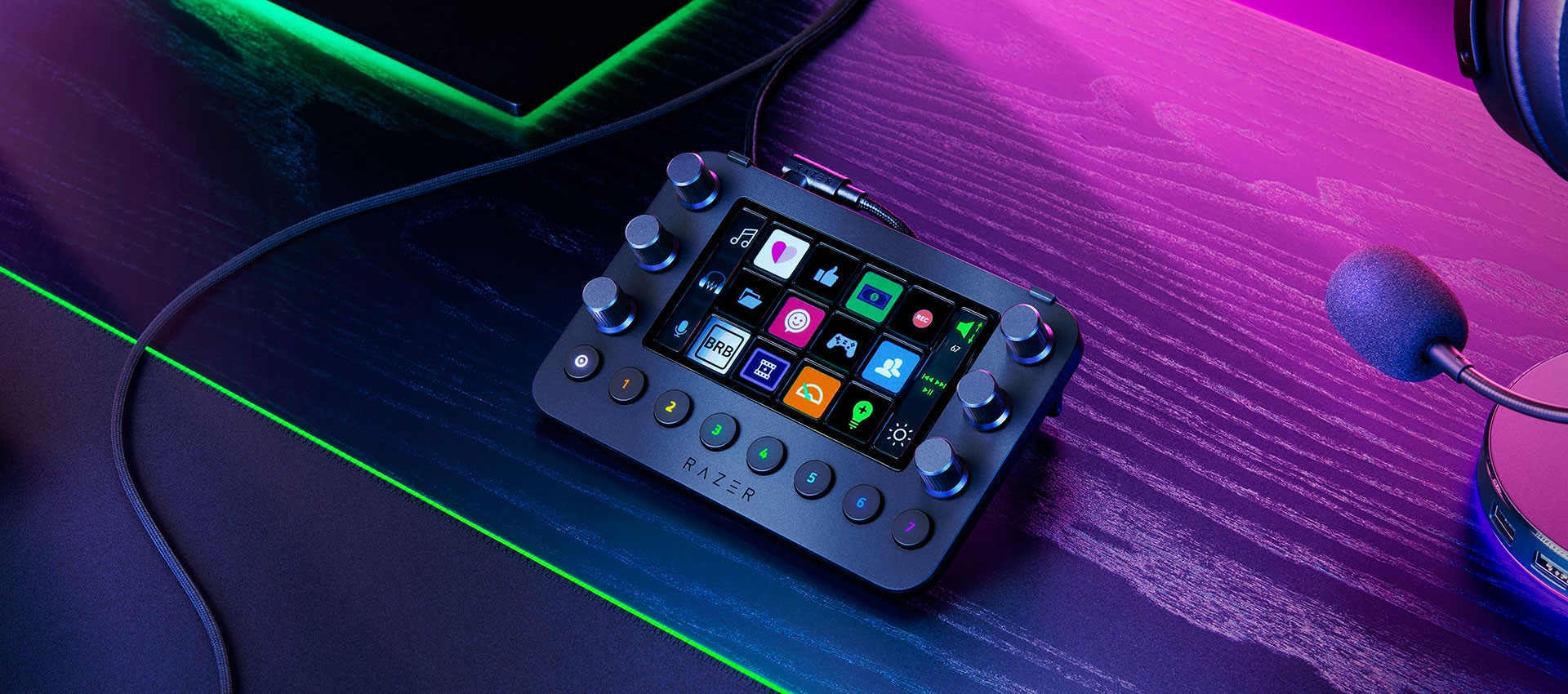
Before we go any further, I’d like to direct your attention to this post, in which I talk about the Streamdeck+, and then this post in which I talk about the Stream Dock. Now, armed with that knowledge, I have brought this new keypad into the house and am kind of at a loss for how the hell I’m going to integrate it into my setup. Truthfully, I’m passing the Stream Dock off to my daughter as this new device will replace it, but I’m finding out that not all of these devices are created equal; they work similarly from a hardware perspective, but it’s the software that is opinionated and which is now making adoption of the Razer device more complicated than I want it to be.
For Streamers by Streamers
The Stream Controller (hitherto referred to as “SC”) is a Razer-branded hardware shell wrapped around a Loupdeck software package. Loupdeck was a company which made hardware and software elements designed for live streaming and productivity; apparently Loupdeck has been acquired by Logitech and the hardware devices will no longer be made, and the software is being rolled into Logi’s own “Options+”. Logitech says they will honor Loupdeck hardware warranties going forward, but as far as a product line, it’s caput. If I were Razer, I’d be none too happy about this, but I guess this is just a Razer branded Loupdeck Live so whatever.
Setting up the device works a lot like Elgato’s Streamdeck or the Stream Dock (which rips off the Streamdeck programming software almost at 1:1)
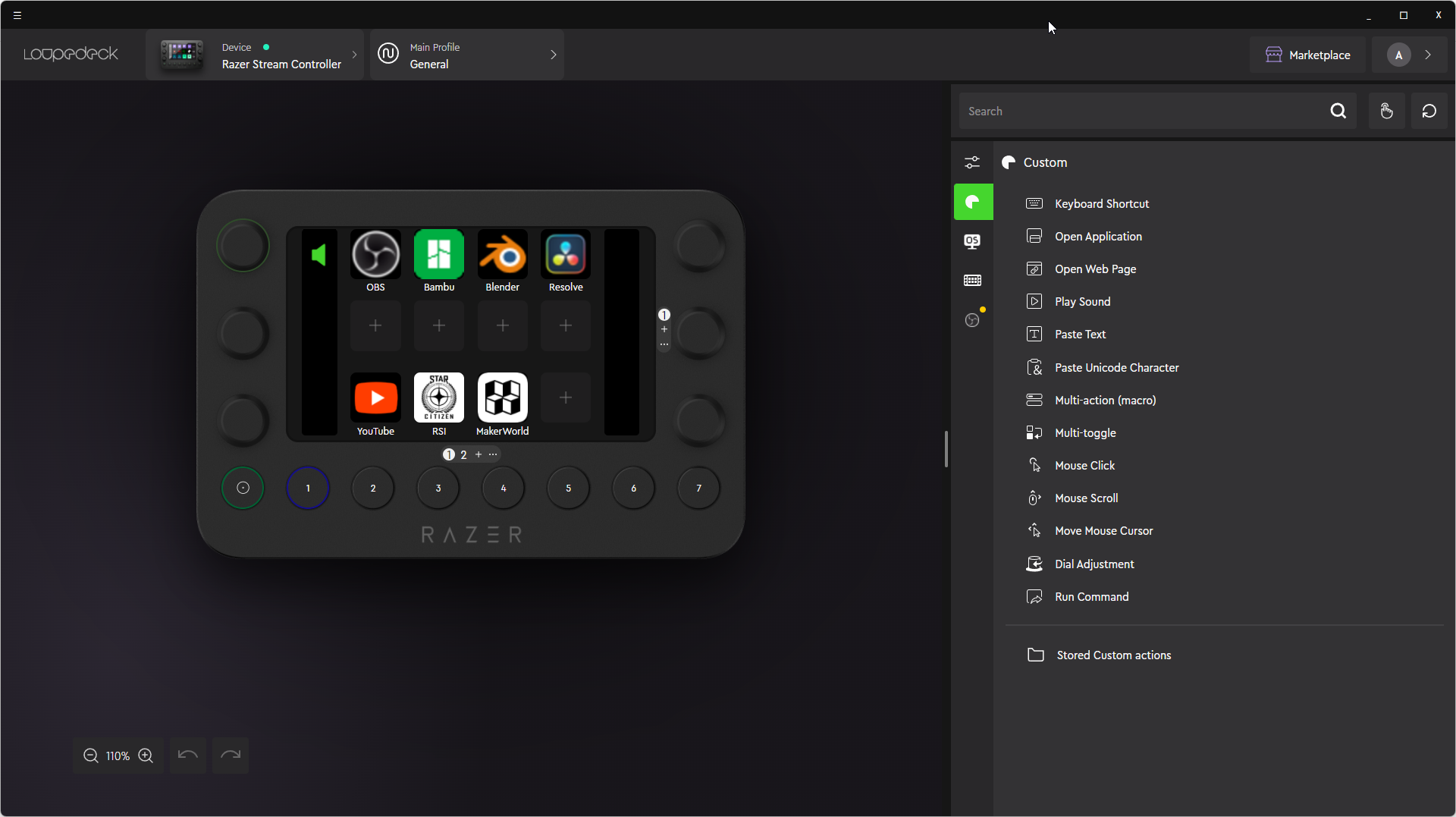
It’s got the same vibe as other software in this category: commands on the right which can be assigned to buttons or dials represented in the image on the left, a marketplace from which I can download icons, interface plugins for various software packages, and pre-compiled profiles for specific games and applications.
At it’s heart, though, this is a device intended for streamers. Out of the box it comes with a profile set up with controls for OBS, and many buttons are pre-programmed to fire off animations and audio clips. For me, streaming — more specifically, controlling OBS — is in the top five intended uses, but it’s not in the top four. I spent my first 10 minutes finding and removing all of the preconfigured buttons in the programming software for a more pristine starting point for…whatever I decide to apply to this device.
Logically Illogical?
My goal with these devices is to use their faculties to the fullest, so the device will begin on a general purpose “homepage” which features shortcuts for a few apps (OBS, Bambu Studio, Blender, Davinci Resolve) and some site shortcuts (YouTube, Star Citizen, Makerworld).
For the apps, I rely on “app detection” to drive device behavior. For example, when opening Resolve, I would like the device to switch to an entirely new profile where all of the inputs I set up (or have imported) are specific to the things I’d want to do when working with Resolve. Thankfully, The SC starts with two detected app profiles — Resolve and Affinity Photo — which do this exact thing. I haven’t actually loaded up the software with Resolve buttons, but I might track down a pre-made profile for that at some point because there’s a lot of things to do within Resolve.
The problem I’m running into is that the Loupdeck software recognizes either a “plugin” or a “profile”, and they don’t really play well together. This is evident when it comes to OBS. For my use, I’d like the OBS button to behave like the Resolve button: when pressed, it opens OBS Studio, and then switches to an OBS profile. Somehow, I cannot get this to work, and I think it’s because the device is designed to be streamer-centric, meaning that the main page is intended to be given over to everything streaming, while other profiles are there to support other non-streaming-centric apps and operations.
OBS support is through a plugin and somehow, as a result or at least as I understand it, the Loupdeck won’t allow me to set up a case where the OBS app is a trigger for switching a profile, at least not how Resolve or Affinity Photo does. This is a weird demarcation, treating OBS as a “special case” when I could set up any other app on my system to auto-switch to another profile when the app is running. I’ve even tried setting up a multi-action which would launch OBS and then switch to another profile, performing an end-run around app detection, but that was no bueno.
If you or someone you know has any information on how to get the Loupdeck to respond to OBS in a running state on the PC, please let me know in the comments.
Overkill or Go Home
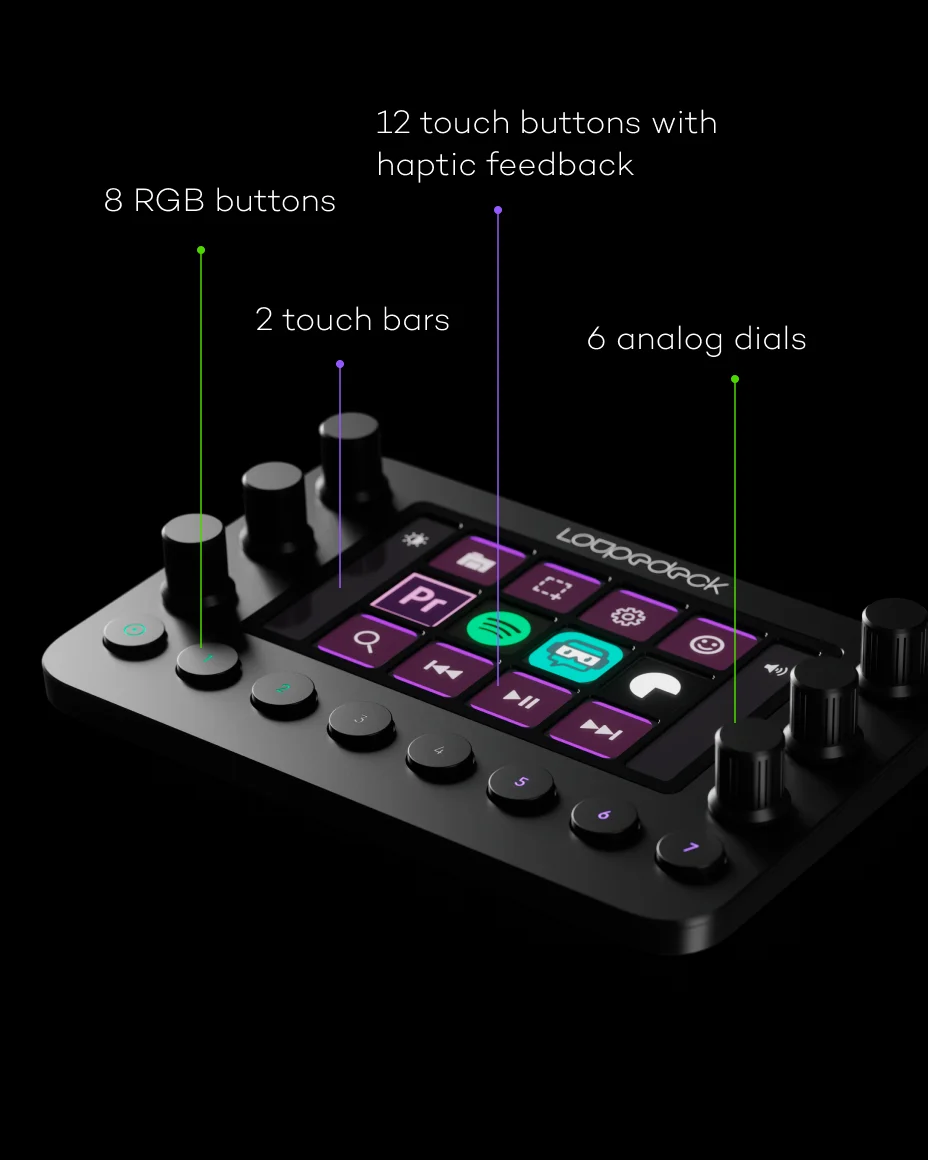
In looking for pictures and info for this post I learned that what I have — the Razer Stream Controller — is acctually just a Razer branded version of the Loupdeck Live device. I have questions, though, since the Loupdeck Live retails for $315USD while the Razer Stream Controller is a more reasonable $142USD. I’m guessing that because Loupdeck hardware is no longer produced, official Loupdeck devices are going for a premium while the Razer device is still under the Razer’s product banner. I don’t know business.
The Streamdeck is cool because it’s a bunch of LCD buttons that can be programmed to do whatever I want. The Streamdeck+ adds a touch-strip and four dial buttons into the mix. The Loupdeck device adds eight physical buttons and six dial buttons on top of 12 LCD buttons. I don’t know if this makes the Loupdeck more or less flexible than the Streamdecks. I like having the dials because in OBS I have audio controls for the mic, the desktop audio, my soundbar audio, Discord audio, and whatever specific game input I’m using at the time. I can assign each of those tracks to an individual dial and control it without having to take mouse focus away from the game. When I get to setting up Blender or Resolve, I can use these dials to zoom, pan, and scrub. The physical buttons are technically designed as paging controls so the device can display 96 LCD buttons in a single profile…way more than I think I’ll ever need. But dials and non-LCD buttons can only take certain types of commands, and their customization options are limited on account of the fact that I can’t change their display values. I tried setting up the volume mixer knobs for OBS, but each corresponding display icon next to the knobs used a generic icon and I couldn’t find a way to change it. I’d have to —gasp! — memorize which knob controls which audio track if I can’t find a way to visually designate that info.
I think I’m mainly attracted to the idea of having as many control options as humanly possibly which is why I like the Streamdeck, Streamdeck+, and this Razer Loupdeck setup, but since each device can field an insane number of buttons and configuration pages and profiles, I’m starting to think I have a hardware addiction problem. I don’t actually have that many actions I need inputs for, really. I have to put my own foot down and say that this is the last device of this type I’ll bring into the house, and not just because I’m running out of USB ports. I’m at control capacity now, and I think the only place I can go from here is to start construction on an actual, honest-to-gawd sim-pit. Just don’t tell my wife.


1 Comment
I Lied: NOW It’s Getting Ridiculous – Scopique’s
February 3, 2026 - 10:28 am[…] Now It’s Getting Ridiculous […]
Comments are closed.