Scopique
 Scopique
I have a few follow-up points to make about the Razer/Loupdeck Live setup from my previous post and wanted to talk about them here. I probably won’t ever write about them again so please, bear with me.
Offshoring Responsibilities
For a device that’s sold primarily to “streamers”, I’m finding that the native capabilities of the Loupdeck are pretty anemic. This isn’t just a Loupdeck problem, though, as I’ve had to rely on plugins for this, the Streamdecks, and the Stream Dock as well.
The one thing I learned to love about the Streamdeck+: The One With the Knobs is that I could get a plugin for volume controls. With four knobs I had control over desktop output, Discord output, and mic input. Rotating a knob handled volume control and pressing a knob toggled between active and muted states. I also added some buttons to the LCD panel that allows me to switch between output sources for the desktop and for Discord.
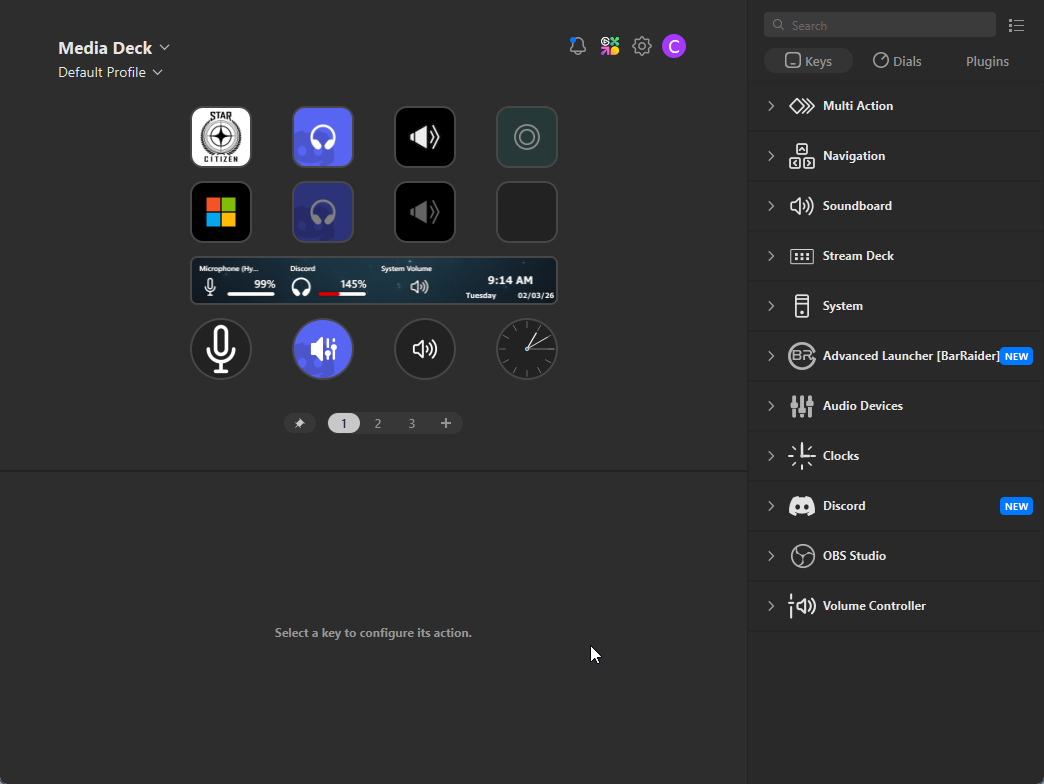
In order to achieve this, I needed two plugins: one for Discord and one which deals specifically with audio aspects called Volume Controller. I’m not mad because both of these did everything I needed them to do, and both were straightforward in their use and configuration.
Not so with the Loupdeck.
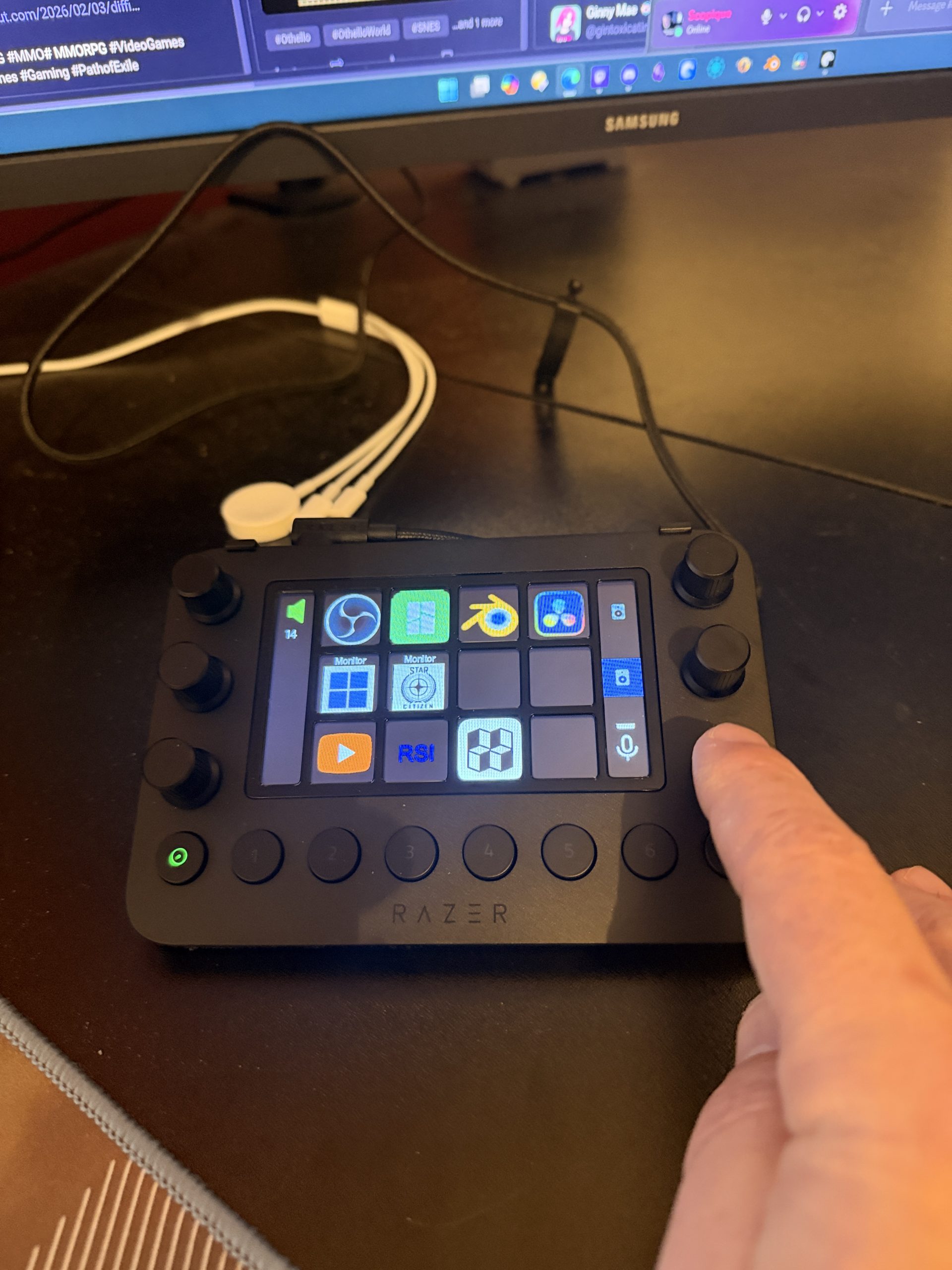
This is my homepage. The dial/button my finger is hovering over triggers a command that allows me to work with audio ins and outs, but unlike the SD+, this sends me to another page:
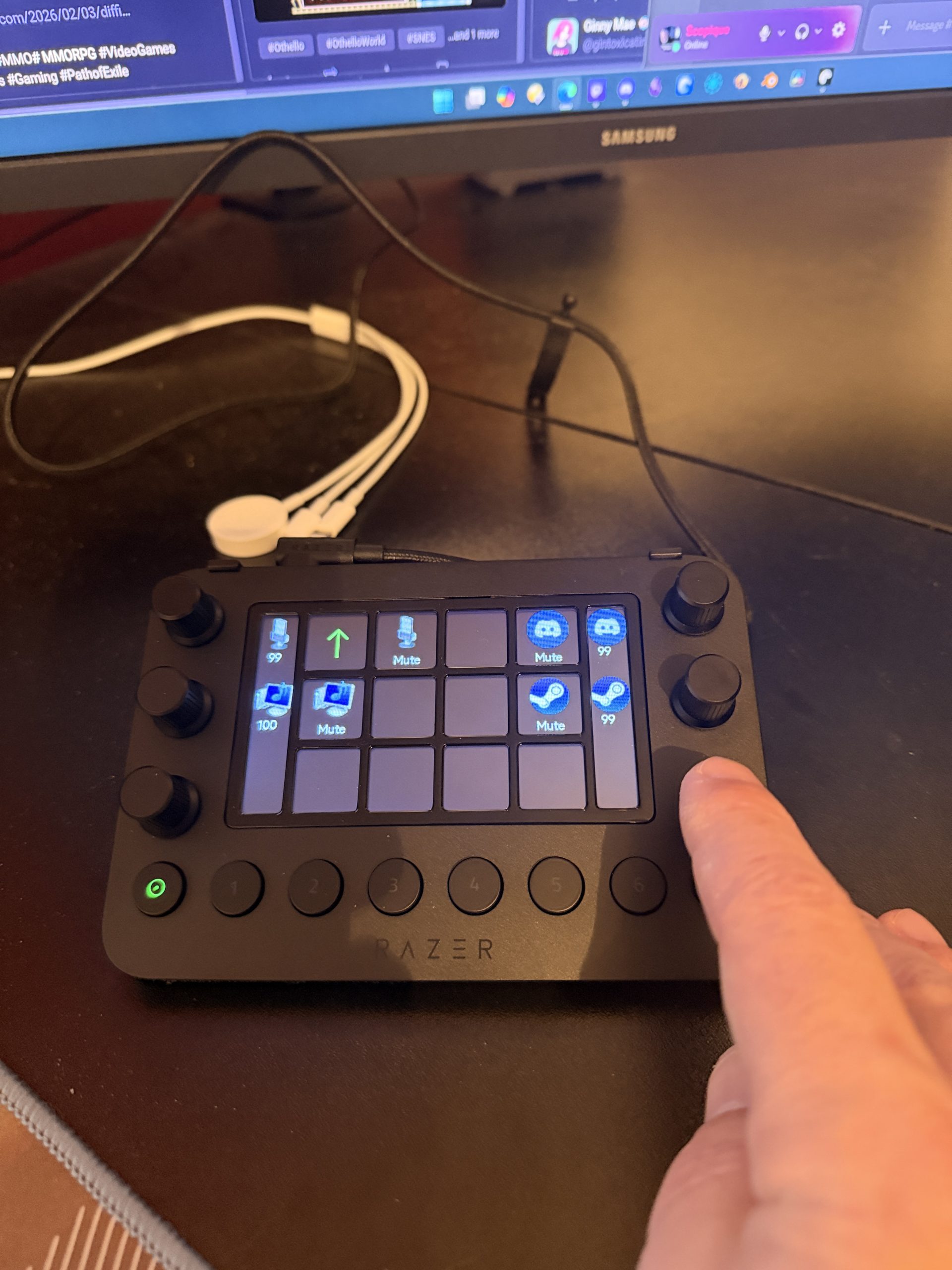
Now, muting my mic — something I do a lot when on Discord if I have to talk with my wife or go AFK and don’t want to go to the AFK channel — is a three button press. First the dial click, then the mic mute/unmute, then the green “up” arrow to get back to the main page. Nevermind that this auto-generated page is confusing and poorly designed which, TBF, seems to be endemic to the Loupdeck’s reliance on these auto-sub-pages. What I cannot do is have a one-touch button on the main page that mutes or unmutes my mic [1].
Why something as simple as muting and unmuting an audio system input is not standard is beyond me. This is a device aimed at streamers. Streamers need to mute themselves on occasion. Technically, yes, there is an OBS command to shut down the audio input at the OBS level, but why not also have one at the OS level? Having a plugin for Discord makes sense, and I do have a nice, clean setup for switching audio output between speakers and headset for both desktop and Discord audio, but the Loupdeck plugin ecosystem seems painfully lacking in usability compared to the Streamdeck ecosystem. I’m a pretty smart guy, but why some of these plugins are needed, and why they’re not as simple as they could be doesn’t make a lot of sense.
Overcomplicating Further
Me being me, if something is going to be complicated I want to be the one to complicate it so I found a Logitech utility called MIXLINE (all caps, because gamers) and at first blush this looked like a good way to get around the issues I was having with other Loupdeck plugins. Sadly, it would also require a Loupdeck plugin to use with the device, but otherwise it can be used by anyone who wants a little more control over audio outputs.
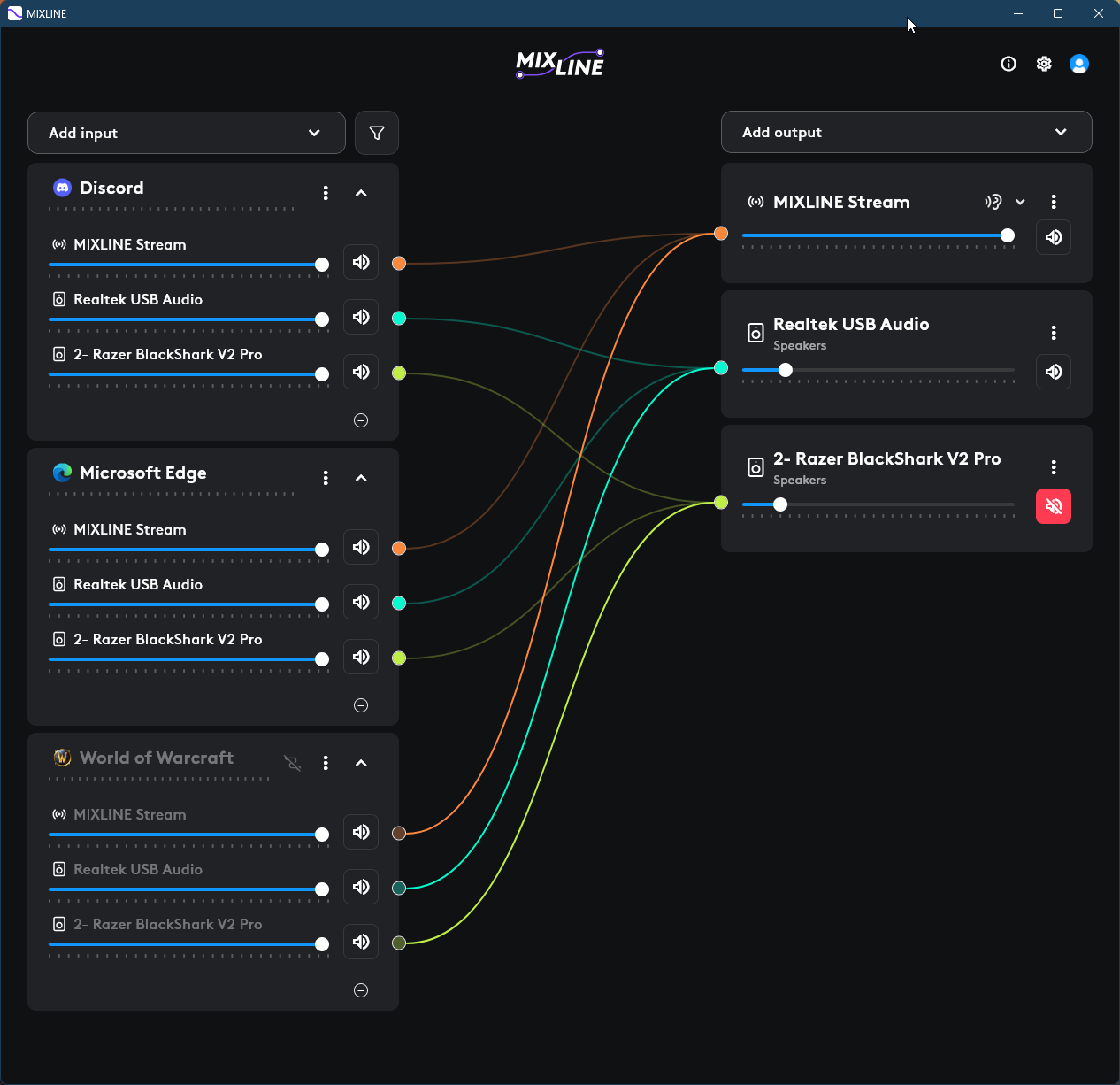
MIXLINE allows for limited audio routing. If you’ve never had a need to do this it might not make sense why you’d want to, but know that some people want to, especially for streaming or video recording. Here, I have three outputs: Edge, Discord, and WoW. Each of them produces audio and by default, they will all output to Windows’ currently selected audio output unless specifically directed at the individual app level. When MIXLINE is set up, I can send output from any audio producer to any registered audio consumer.
The reason for doing this is to split inputs for OBS. I have written about trying to get a good recording setup for playing multiplayer games with Discord input, game audio input, and mic input previously, and have been relying on OBS’s beta “application audio capture” source. Since I wanted Loupdeck control, and since Loupdeck has a MIXLINE plugin, and since MIXLINE looked like I would be able to route Discord and game audio into separate outputs to create separate inputs within OBS (the mic would just go native), I looked into this plan.
Sadly, it seems that MIXLINE can only output to destinations which already exist. Each system is different, but usually there’s only one audio output on a PC. Once monitors, headsets, and other peripherals are added, more audio outputs may show up but they are usually specific to the vehicle which brought them in. For example, plugging my VR headset into the PC adds a headset speaker output, but any audio sent to that output plays in the headset speakers…not exactly what I want.
While writing this post I had an idea which I tried out and I’m happy to say that it worked as expected, and it was this:
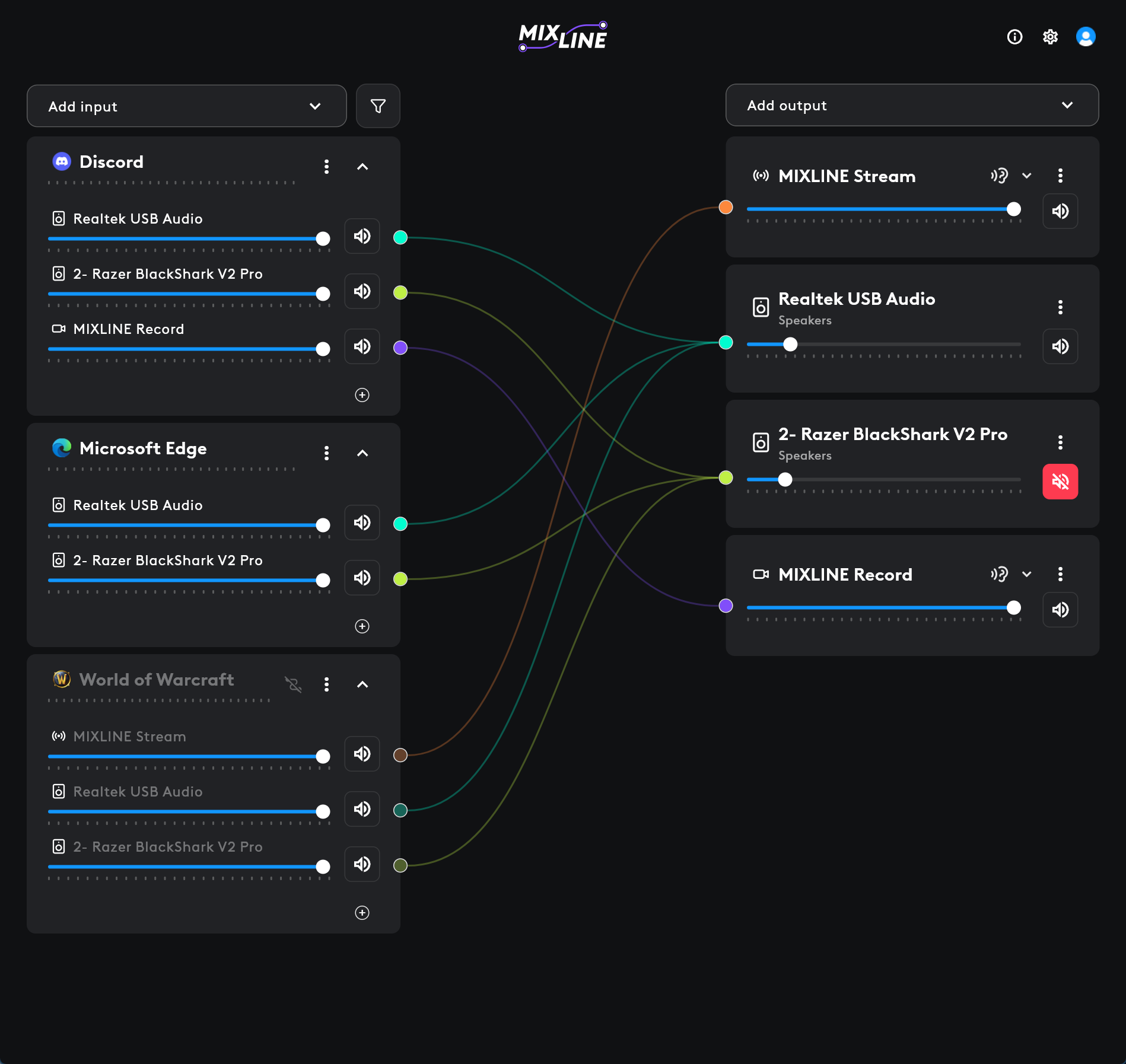
If you follow the spaghetti, what you’ll see is that I’ve got Discord routed to the “MIXLINE Record” output. That’s the only connection to that output meaning that Discord will have MIXLINE Record output all to itself. Likewise, I have WoW as the sole input to “MIXLINE Stream”. That means the game has MIXLINE Stream output all to itself. Both Discord and WoW also output to the BlackShark which is my headphones, and the Realtek USB which is my soundbar, so I can hear both through either the soundbar or the headphones, and each can be controlled by muting one and activating the other as needed.
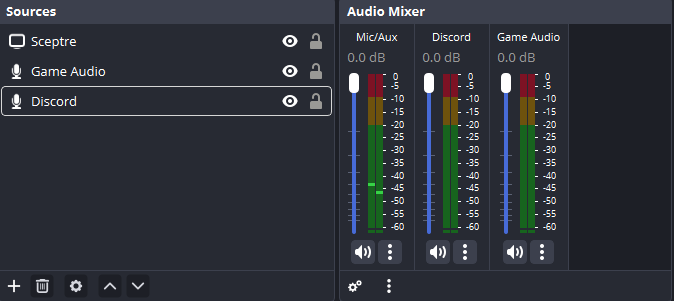
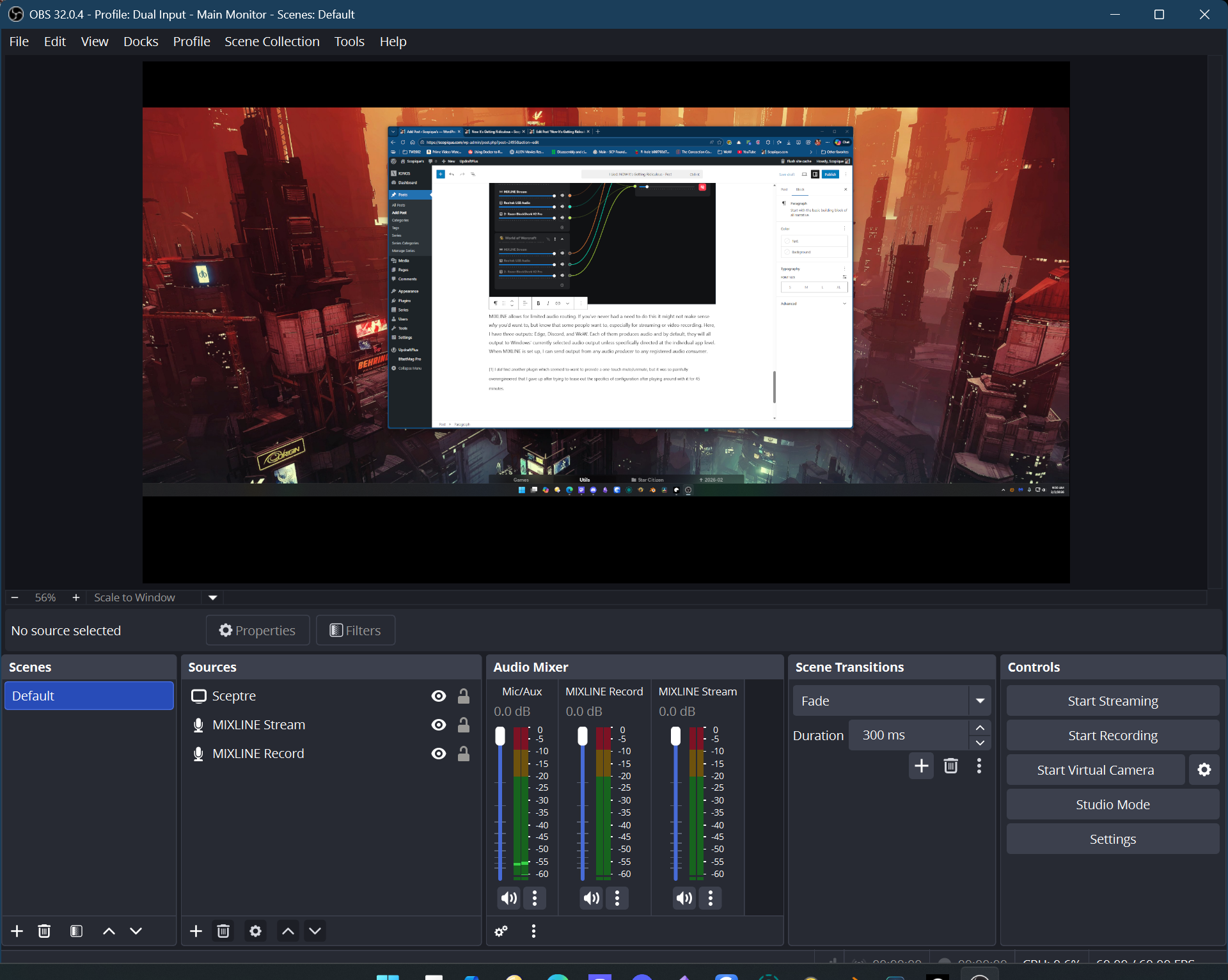
In OBS, my sources look like this. I’ve renamed MIXLINE Stream to “Game Audio” and MIXLINE Record to “Discord”, and when the game is running, I see meter activity in that column, and when Discord is piping out voices, I see activity in that column.
The best news to come out of this understanding is that I cut out several paragraphs talking about how I came real close to installing Virtual Audio Cables, which is my personal bellwether used to signify that it’s time to reset my PC. Thankfully, I won’t have to do that right now.
The Long and Winding Road To Pointlessness
This post was a lot longer than anticipated, but as with a lot of posts, writing it out has been my duck: I came to a realization while writing that lead me to try another route that worked out well enough, even though it isn’t 100% successful. As of right now, my limited needs are met. I can separate game, mic, and Discord audios in OBS without relying on the beta source input and I should be able to get a clean separation of audio in my game recordings. However, if I find that I need even one more audio input, I’m screwed because I don’t have any other system outputs that I can connect within MIXLINE. At that point I would need to investigate VAC, or one of it’s kind which has at least one virtual audio output that I could add to my sources.
The next step is to see if I can integrate the MIXLINE plugin into the Loupdeck. I have yet to see what it offers, so it might be completely anemic and not worth my time, but I’ll spare you another long-winded post on the subject once I figure it out.
[1] I did find another plugin which seemed to want to provide a one-touch mute/unmute, but it was so painfully overengineered that I gave up after trying to tease out the specifics of configuration after playing around with it for 45 minutes.